
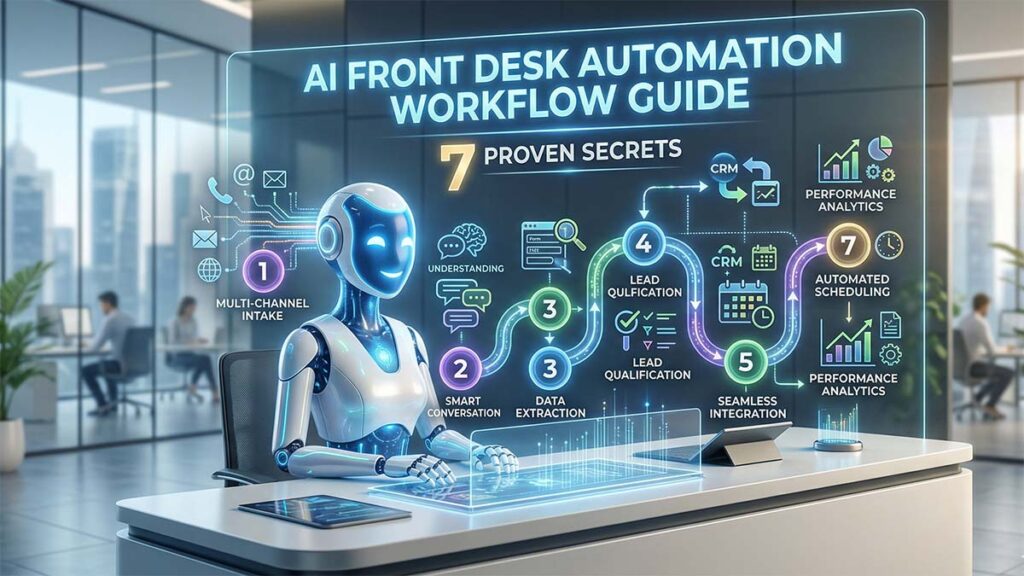
In the competitive landscape of 2026, the traditional receptionist model is becoming an operational bottleneck. For founders aiming for a human-less business ecosystem, manual call handling is a liability. This AI Front Desk Automation Workflow Guide explores the 7 proven secrets to building a high-conversion, automated system that operates 24/7 with zero human intervention. By integrating tools like n8n, Notion, and advanced voice AI, you can transform your front desk from a cost center into an ROI machine.
The Foundation of an AI Front Desk Automation Workflow Guide
The first step in any AI Front Desk Automation Workflow Guide is moving beyond simple “voice-to-email” services. True automation requires a logic-based engine that can interpret caller intent, qualify lead quality, and trigger downstream actions. In a technical setup, this usually involves a “Voice AI Agent” acting as the front-end interface, connected to a workflow orchestrator like n8n.
1. The “Lead-First” Interactive Logic
Generic systems often waste time answering complex FAQs before knowing who is on the line. A high-performance AI Front Desk Automation Workflow Guide flips this script. Your AI agent should be programmed to capture the name, contact number, and primary intent within the first 30 seconds. If the call drops, you still have the lead.
2. Real-Time Lead Qualification and Triage
Not all callers are equal. An automated workflow must distinguish between a high-intent buyer and a general inquiry. By using AI-driven scoring, the system can:
- High Priority: Immediately book a meeting in Calendly for qualified leads.
- Low Priority: Send a polite SMS with a link to a resource page.
- Support: Route the caller to an automated help desk or Notion database.
3. Seamless Integration with n8n and Notion
For the solo founder, data siloed in an AI dashboard is useless. This AI Front Desk Automation Workflow Guide recommends using n8n as your central nervous system. When a call ends, n8n should automatically:
- Transcribe the call using Whisper or a similar model.
- Extract key data points (Budget, Service Type, Urgency).
- Create a new entry in your Notion “Second Brain” or CRM.
- Notify you via Slack or WhatsApp only if a “Gold” lead is captured.
| Workflow Stage | Manual Receptionist | Automated AI Workflow (2026) |
| Availability | 40 Hours/Week | 168 Hours/Week |
| Response Latency | High (Hold times) | Sub-500ms (Instant) |
| Data Accuracy | Subjective Notes | Verbatim Transcripts |
| Cost | ~$3,000/Month | ~$150/Month |
4. Multi-Channel Synchronization
An AI Front Desk Automation Workflow Guide isn’t just about voice. Your system should offer a “Follow-up SMS” immediately after the call. This message can include a link to a digital brochure or a booking link. This creates a “sticky” experience for the customer, ensuring they don’t call your competitor while waiting for a callback.
5. The “Caring” Persona vs. Technical Soundness
While it is tempting to make your AI a technical expert, real-world data shows that a “Caring” persona (like Rebecca or Edward) converts better. Focus on the AI being helpful, empathetic, and organized. The goal isn’t to solve a complex engineering problem over the phone; it is to make the caller feel heard and booked.
6. Automated Conflict and Conflict Checks
For legal and medical firms, the AI Front Desk Automation Workflow Guide must include a logic gate for conflict checks. The AI can cross-reference the caller’s name or company against your Notion database in real-time. If a conflict is found, the system can politely decline the intake and offer a referral, saving hours of manual paralegal work.
7. Scaling with Horizontal Integration
Once your primary business is automated, you can “clone” this workflow for other ventures. Whether you are running a solar agency like Andromeda Energy or an AI consultancy like VPI Concepts, the underlying architecture remains the same. This is the true power of a human-less business ecosystem—the ability to scale horizontally without adding to your payroll.
Implementation Checklist
- Setup Voice Interface: Choose an AI voice provider with low latency.
- Configure n8n: Build a workflow to push call data to Notion.
- Define Logic Gates: What specific questions define a “qualified” lead?
- Internal Link: Review our [VPI Concepts vs Generic AI Comparison] for persona tips.
- External Link: Read the n8n Automation Best Practices for technical deep-dives.
Conclusion
Building an automated front desk is the single most effective way to reclaim your time as a founder. By following this AI Front Desk Automation Workflow Guide, you aren’t just “getting a bot”—you are installing a 24/7 revenue generator. Start with one simple intake flow and expand until your entire business front-end is autonomous.
